Open a Terminal in the Oppai CLI Folder
Before running Oppai CLI, you need to open a terminal in the folder where the Oppai CLI executable is located.
This allows you to run Oppai CLI commands directly from the correct folder.
Windows
Open the folder that contains the Oppai CLI executable.
Click the address bar at the top of File Explorer, type:
cmd
and press Enter.
A terminal will open in the correct folder.
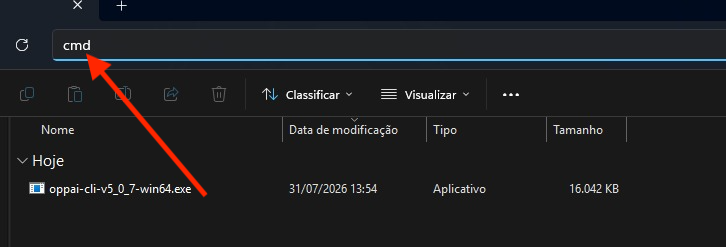
You can now run Oppai CLI commands from this terminal.
MacOS
Open Finder and locate the folder that contains the Oppai CLI executable.
Right-click the folder and select:
New Terminal at Folder
A terminal will open in the correct folder.
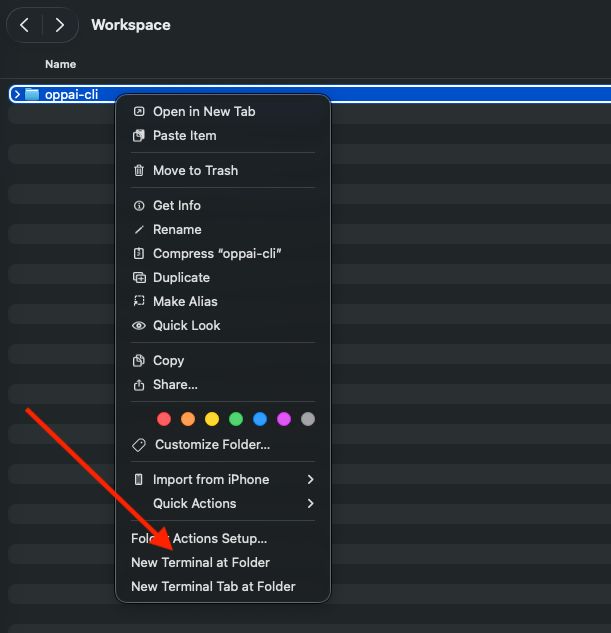
You can now run Oppai CLI commands from this terminal.